
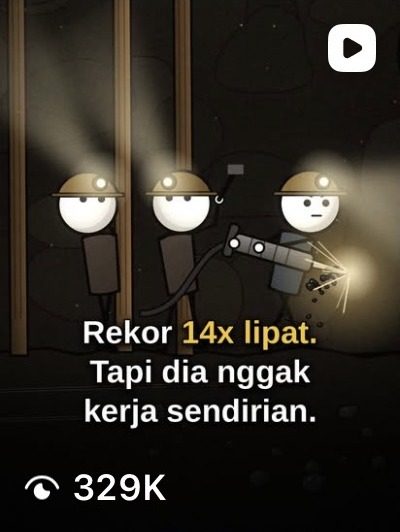

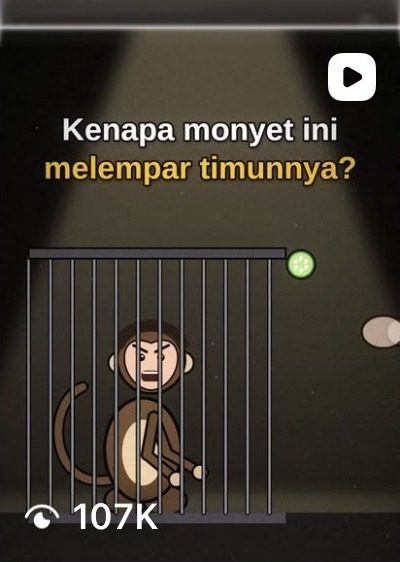
What you need
- A paid Claude plan with Create and edit files turned on (called Code execution and file creation in older versions). This is what lets Claude break down your sample videos, draw the animation in code, and render the finished video.
- ElevenLabs for the narrator’s voice. A 45-second voice-over takes about 800 credits. You can also clone your own voice there.
- 1 to 5 sample videos in the style you want to copy. The more samples, the closer the result.
- Time: your first video usually takes 1 to 2 hours of back-and-forth revisions. Later videos are much faster because the recipe already exists.
Just 6 steps
- Share sample videos and ask Claude to learn the style
- Ask for 3 story ideas, pick 1
- Ask for a voice-over script of 45 seconds max
- Make the voice in ElevenLabs
- Ask Claude for the visuals, animation, subtitles and sound effects
- Revise, combine, then post
Step 1 of 6
Share sample videos
Upload videos in a style you like straight into a Claude chat. Claude splits them into frames, reads the script, and works out the style recipe.
Tip: Pick samples with proven performance (high views), and keep them all in one style so the recipe stays consistent.
Step 2 of 6
Ask for 3 ideas, pick 1
Don’t ask for one idea. Ask for three, then choose yourself. Strong ideas almost always share the same pattern: a “Why…?” question, a true story, and a viewer who gets defended.
Tip: Ideas with sympathetic animals (birds, dogs, monkeys) hit the For You page most often on my account.
Step 3 of 6
Voice-over script
A short script with short sentences. Aim for 45 seconds max, roughly 110 words read at a brisk pace.
Tip: Always check historical facts and research figures before posting. One wrong fact can wreck your viewers’ trust.
Step 4 of 6
Voice in ElevenLabs
The manual way: open ElevenLabs, go to Text to Speech, paste the script, choose a voice, use the Multilingual v2 model at a speed of about 1.2, then generate and download the MP3. Upload that MP3 to your Claude chat.
The faster way: connect ElevenLabs as a connector in Claude (never done it? see the Connectors lesson in the Claude AI course), then use this prompt:
Tip: Want to use your own voice? Record 1 to 2 minutes of clean audio, then create an Instant Voice Clone in the Voices menu.
Step 5 of 6
Visuals, animation, subtitles
This is the part that surprises people most. Every picture and animation is made by Claude in code, so it stays consistent from scene to scene and can be revised at any time.
Tip: Asking for a contact sheet first matters. Revising at this stage is far quicker than after the video has been rendered.
Step 6 of 6
Revise, combine, post
Ask for revisions until you’re happy, then have Claude put everything together into a video that’s ready to post.
Before you hit post
Bonus: For You page rules from my data
These are the patterns I found after comparing more than a dozen videos in this series, from the one with 947K views to the ones with only a few thousand.
First frame = cover
One large subject under a spotlight + a “Why…?” question. Keep it uncluttered.
A surprise by second 5
Viewers who stay until second 8 usually watch to the end.
Defend the viewer
Blame the system, not the person. Viewers feel defended, then share it.
Pick animals people feel for
Birds, dogs and monkeys work far better than chickens or planes.
Avoid ambiguous terms
“Champion chicken” made people think of cockfighting, and they swiped away.
45 seconds max
The “relates to us” part only needs 10 seconds and one closing line.
Don’t post too often
The same format every day wears viewers out. 2 to 3 times a week is enough.
If you make one, tag me on Instagram @dhanyindraswara!